
11 Must-Have Tech Gadgets: Honest Reviews and Buying Guide for 2024
Discover 11 must-have tech gadgets combining innovation with reliability. From smartphones to smartwatches, explore honest reviews and find your next upgrade with our comprehensive buying guide.
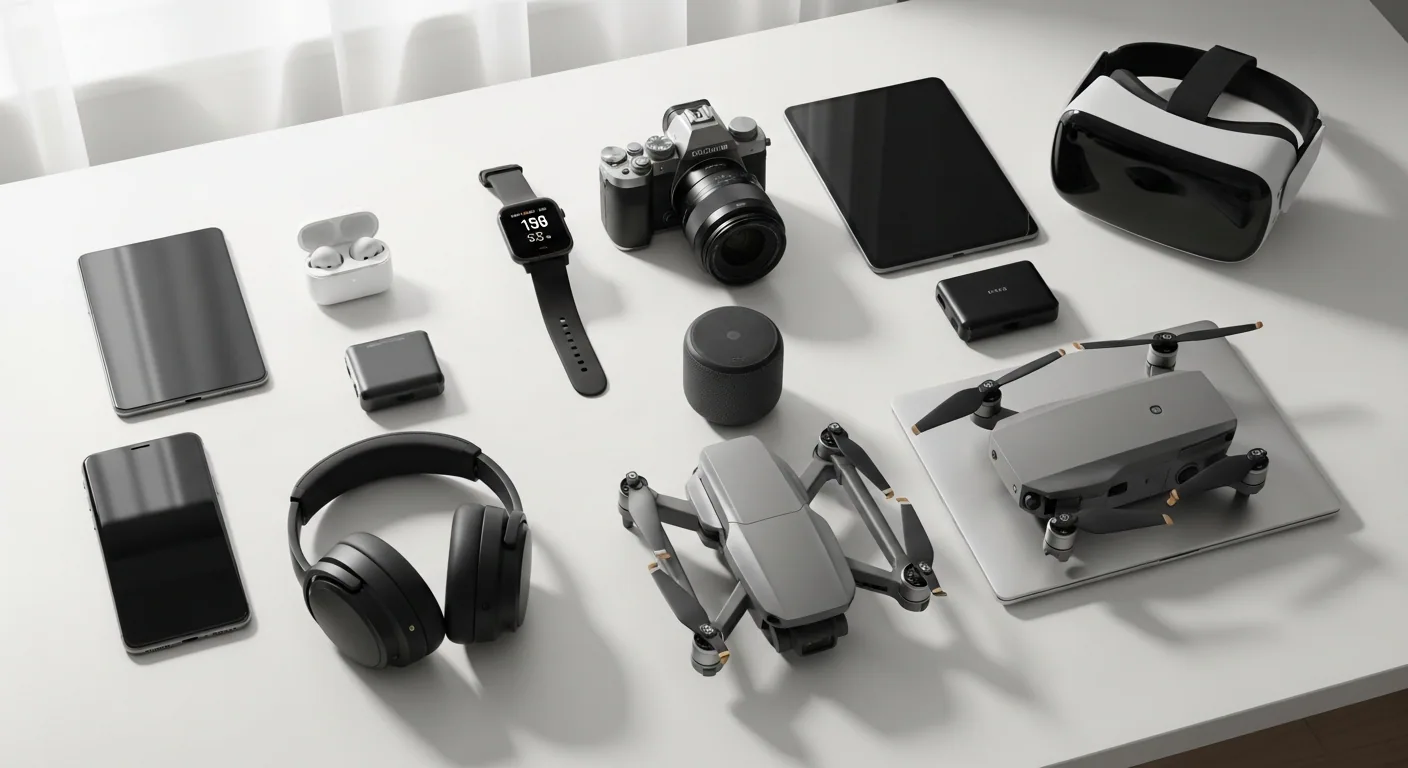
Popular Tech Gadgets
You're standing in a Best Buy, phone in hand, completely overwhelmed by the sheer number of options. Should you upgrade your smartphone? Get a smartwatch? Maybe a portable speaker for road trips? The gadget industry doesn't make it easy—new products drop constantly, marketing teams promise the moon, and most reviews just list specs without telling you what actually matters in real life.
What separates genuinely useful tech from expensive disappointments is simple: does it solve a real problem you have, or does it just look cool on your desk? The best gadgets integrate seamlessly into your life, perform their core function reliably, and don't drain your wallet in the process. Everything else is just noise.
Here's a breakdown of ten popular tech gadgets that actually deliver on their promises, covering phones, earbuds, smart home devices, wearables, and entertainment tech.
1. Apple iPhone 15 Pro Max
If you're a serious smartphone user who demands top-tier cameras, processing power, and doesn't mind paying for it, the iPhone 15 Pro Max hits hard. The jump to titanium makes it noticeably lighter than previous Pro Max models—something you'll appreciate after a full day of holding it. The A17 Pro chip absolutely obliterates performance benchmarks, meaning apps launch instantly, heavy multitasking feels effortless, and console-grade games run without stuttering.
The camera system is the real star. That 5x telephoto lens on the Pro Max is genuinely revolutionary for mobile photography. Whether you're shooting portraits, landscapes, or zoomed-in wildlife shots, the quality punches well above what you'd expect from a phone. Night mode continues to impress, pulling detail from barely-lit scenes that older iPhones would butcher. USB-C finally arrived, too—it's a small thing, but standardizing charging across devices actually matters.
The trade-offs are real, though. This phone costs serious money, and the improvements over the regular iPhone 15 aren't earth-shattering if you're not a photography enthusiast. Battery life is legitimately excellent, but charging speed remains oddly conservative by modern standards. The size is enormous, which is fantastic if you like big screens but brutal if you prefer pocketability.
Best for: Professional photographers, power users, and anyone deeply embedded in the Apple ecosystem who shoots a lot of video or photos.
2. Apple AirPods Pro (2nd Generation)
These are the gold standard for iPhone users who want wireless earbuds that just work. The active noise cancellation is aggressive—it genuinely silences low-frequency rumble from trains or airplanes, making them excellent for commuting or focused work. Flip to Adaptive Transparency mode and you can hear ambient sounds intelligently mixed with your audio, which is clutch if you're walking around and need to stay aware of traffic.
The H2 chip upgrade delivers noticeably better ANC and audio quality compared to the first generation. Spatial Audio with head tracking is the kind of gimmick that actually enhances movie watching and gaming. What really impresses is the charging case itself—it has a speaker for Find My alerts, uses the U1 chip for precise location tracking, and charges wirelessly or via USB-C. The design is tiny and comfortable enough to forget they're in your ears.
Here's the catch: they're pricey, and the fit isn't universal. Some people find the ear tips uncomfortable even with the multiple size options. Outside the Apple ecosystem, they're limited—no Android support for full features. And despite the hype, they don't support hi-res audio, which some audiophiles will hold against them. But if you're using iPhones and want something that pairs instantly and integrates with everything, these are genuinely hard to beat.
Best for: iPhone owners who want best-in-class ANC and seamless Apple ecosystem integration without thinking about compatibility.
3. Amazon Echo Dot (5th Generation)
At under $50, the Echo Dot is the easiest way to dip your toes into smart home automation without committing a fortune. Despite its compact spherical design, it pushes out surprisingly balanced sound with clear vocals and actual bass presence. For a smart speaker this small, that's impressive.
What makes this generation actually useful is the tapless gesture control—tap the top twice to pause music or snooze alarms one-handed. The built-in room temperature sensor is genuinely clever, triggering smart home routines when your room gets too warm or cold. If you already have an Eero mesh system, the Echo Dot can extend your Wi-Fi coverage, which is a nice bonus. Alexa integration is solid across thousands of smart home devices and services.
The limitations are real, though. Audio distorts noticeably at higher volumes, so don't expect concert-quality sound. There's no 3.5mm jack, which matters if you want to connect older speakers. The frequency range is limited compared to larger speakers. If you own a 4th Gen Echo Dot, the upgrades feel incremental rather than transformative. And Alexa still can't match Google Assistant's conversational abilities.
Best for: Smart home beginners who want an affordable entry point with decent sound quality and convenient controls.
4. Amazon Fire TV Stick 4K Max (2nd Gen, 2023)
This is the streaming device to grab if you want fast, zippy performance without overcomplicating things. Loading apps and menus feels responsive—there's no waiting around or buffering nonsense. Wi-Fi 6E support makes a real difference if you have a compatible router; streaming stays stable even in crowded network environments. The inclusion of 16GB storage (double the standard version) means you can install more apps without constantly managing space.
The picture quality is genuinely impressive for the price. 4K Ultra HD with Dolby Vision, HDR10, and HDR10+ support means you get rich, detailed visuals. Pair that with Dolby Atmos spatial audio and you're looking at a premium streaming experience that costs less than a fancy dinner. The Alexa Remote works well for voice control, and the Ambient Experience mode is a nice touch—it displays helpful info or art when you're not actively watching.
Where it falls short: no AirPlay or Google Cast support, which sucks if you use non-Amazon devices. The interface leans hard into Amazon's ecosystem, pushing Prime Video and Fire TV originals aggressively. Wi-Fi 6E improvements are only useful if your router supports it. The remote still uses micro-USB (not USB-C), lacks backlit buttons, and can't be programmed with custom shortcuts.
Best for: People deep in the Amazon ecosystem who prioritize fast performance and 4K picture quality without breaking the bank.
5. Anker PowerCore Slim 10000
Portable chargers are boring until they're not—and then you realize how much you need one. The PowerCore Slim 10000 nails the fundamentals: 10,000mAh capacity gives you multiple full phone charges, and the slim profile makes it actually portable. It genuinely fits in a pocket without weighing you down or taking up space in your bag.
Anker's PowerIQ technology is the real deal here. It detects what you're plugging in and delivers optimized charging speeds up to 12 watts—fast enough without being excessive. The MultiProtect safety system prevents overcharging and short circuits, so you can charge overnight without anxiety. The LED indicator is straightforward and useful. Some versions include USB-C for both input and output, which is handy for modern devices.
The trade-offs are minor but worth knowing: you get one USB-A output port, so charging multiple devices simultaneously is out unless you're daisy-chaining. Charging speed is respectable but not cutting-edge—faster options exist if you're impatient. Some older models still use Micro-USB input instead of USB-C. The cable and Lightning adapter aren't included, so you'll need to source those separately.
Best for: Anyone who travels regularly or spends long days away from outlets and wants reliable, compact backup power without premium pricing.
6. Apple Watch Series 9
The Series 9 looks nearly identical to the Series 8, but Apple's upgrades are internal and genuinely matter. The S9 SiP chip is significantly faster—60% more transistors means apps launch noticeably quicker and animations feel smoother. On-device Siri processes requests faster and works offline, which matters for privacy-conscious users and spotty connectivity situations.
The Double Tap gesture is genuinely clever. Pinch your thumb and index finger twice and you can answer calls, pause music, or dismiss alarms without touching the screen. It sounds gimmicky until you use it one-handed while holding groceries or driving. The display brightness bump to 2000 nits is massive for readability in sunlight—a problem that plagued earlier generations. Health tracking remains comprehensive: ECG, blood oxygen, heart rate, temperature sensing, fall detection, crash detection. Battery life easily lasts a full day of heavy use.
Here's the reality check: the design hasn't changed in years. If you own a Series 8, the upgrade isn't essential. Battery life still requires nightly charging for heavy users, which is disappointing for a device that costs $400+. Blood pressure tracking remains absent. Some advanced features like the vitals matrix are exclusive to the newer Series 10 or Ultra models.
Best for: Apple ecosystem users who want a comprehensive health tracker with smooth performance and the convenience of wrist-based controls.
7. JBL Flip 6 Portable Bluetooth Speaker
The JBL Flip 6 proves that good portable speakers don't need to be complicated. It delivers robust audio with surprisingly punchy bass for its size, thanks to the 20-watt woofer and 10-watt tweeter combo. The sound is balanced and detailed enough for serious listening, not tinny like cheap Bluetooth speakers.
The IP67 waterproof and dustproof rating is legitimately useful. Take it poolside, to the beach, or on camping trips without stressing about water damage. Bluetooth 5.1 pairs reliably and stays connected at decent distances. The app lets you adjust the EQ to your taste. The cylindrical design with that shoelace-like strap is iconic and genuinely portable.
It keeps things simple by design, which is either refreshing or limiting depending on your needs. No speakerphone, no aux input, no voice assistant. Battery life maxes out around 12 hours theoretically but closer to 6 hours in real-world heavy use. Stereo mode only works with other JBL speakers of the same generation. It's not Wi-Fi enabled, so multi-room audio requires creative workarounds.
Best for: People who want a durable, adventure-ready speaker with excellent sound and don't need fancy features or speakerphone functionality.
8. Apple iPad Air M2 (2024)
The iPad Air M2 is the Goldilocks tablet—not stripped-down like the base iPad, not as pricey as the Pro, just right for most people. Available in 11-inch and 13-inch sizes, it gives you options. The M2 chip is seriously powerful, handling demanding apps, video editing, digital art, and multitasking without breaking a sweat. Performance rivals older iPad Pro models, which is wild for the price.
The Liquid Retina display is bright and vibrant. Support for the Apple Pencil Pro makes it genuinely useful for note-taking, sketching, or markup work. The design is sleek, thin, and lightweight—you'll actually want to carry it around. Battery life easily clears a full day of moderate to heavy use. Storage tops out at 1TB if you need it. Wi-Fi 6E and 5G options ensure you're connected wherever.
Limitations exist. The display uses LCD instead of OLED, so blacks aren't as deep or colors as vibrant as the Pro models. iPadOS still feels unnecessarily limited for desktop-like productivity tasks despite its power. The Magic Keyboard compatibility situation is confusing—it uses the old version, not the new Magic Keyboard Folio. No Face ID, just Touch ID. USB-C charging is present but uses slower speeds than Thunderbolt. Configurations can get expensive fast.
Best for: Students, content creators, and productivity-focused users who want serious power without Pro-level pricing and don't need an OLED display.
9. Kindle Paperwhite (11th Gen, 2021)
If you read regularly, the Paperwhite justifies its existence in about two weeks. The 6.8-inch glare-free display mimics paper so effectively that your eyes won't strain after hours of reading. That might sound like marketing speak, but it's genuinely different from reading on a phone or tablet. The adjustable warm light is clutch for nighttime reading—shift the screen from white to amber and eye strain drops noticeably.
Battery life is ridiculous in the best way. Weeks between charges. Not days—weeks. Take it on vacation without packing a charger. IPX8 waterproofing means you can read by the pool or in the bath without paranoia. The flush-front design feels premium. 8GB storage holds thousands of books. The interface is straightforward, and the Kindle Store offers access to nearly every book that exists.
It's laser-focused on reading, which is both its strength and limitation. Black and white display means no color for graphic novels or magazines. Web browsing is clunky. It's not a tablet replacement and shouldn't be treated as one. Proprietary ecosystem can feel restrictive, though it does support various formats. It's purely for reading—nothing else.
Best for: Serious readers who spend significant time with books and want a device that does one thing exceptionally well without distractions.
10. Nintendo Switch OLED Model
The Switch OLED is the mature version of Nintendo's hybrid console. The 7-inch OLED display is the headline upgrade—colors pop, blacks are actually black, and everything looks noticeably more vibrant than the original Switch. For atmospheric games with detailed visuals, the difference is immediately apparent. The improved kickstand is wider and more adjustable, making tabletop play genuinely stable. Audio is crisper from the built-in speakers.
What makes the OLED model special is its versatility. Switch between handheld, tabletop, and TV modes seamlessly. The dock now includes a wired LAN port for stable online gaming. 64GB internal storage (double the original) means more games installed without juggling microSD cards constantly. The Joy-Con detach for flexible play styles. The game library is genuinely stacked with exclusive first-party titles and growing third-party support.
Drawbacks linger. Joy-Con drift still happens occasionally—a design flaw Nintendo inherited from the original. Processing power hasn't improved, so don't expect better graphics or performance. The Bluetooth standards are older, causing occasional connection hiccups. Price sits at $350+, making it pricier than some competitors. The screen can glare in bright sunlight.
Best for: Gamers who want a versatile console that works at home or on the go, with access to Nintendo's library of high-quality exclusive games.
How to Choose the Right Popular Tech Gadgets
Define Your Core Need First
Before comparing specs or prices, ask yourself what problem you're actually solving. Do you need a phone because yours is ancient and slow? Want to start gaming? Need a better speaker for outdoor gatherings? "Better" is meaningless without context. A streaming device matters less to someone who watches everything on their phone. A smartwatch adds zero value if you never work out. Spending time on this step saves money and prevents buyer's remorse.
Performance vs. Premium: Know Where You Stand
This category has a weird pricing pyramid. You can spend $100 or $1,500 on similar-sounding devices. The difference is rarely 15x better—usually it's incremental improvements, nicer materials, and brand prestige. Ask whether the upgrade justifies the cost for your specific use case. The iPhone 15 Pro Max is objectively better than a regular iPhone 15, but if you barely use the camera, you're paying hundreds for features you won't touch. Similarly, the Echo Dot does basic smart home stuff fine; the premium speaker offers better audio but costs triple.
Ecosystem Compatibility Matters More Than You'd Think
If you already own Apple products, buying Android-based alternatives creates friction. AirPods don't work optimally with non-Apple devices. Fire TV devices integrate seamlessly with Alexa but feel awkward with Google Home. Nintendo Switch games don't migrate to other platforms. Before buying, consider what ecosystem you're locked into. Switching ecosystems is possible but annoying and expensive. A gadget that plays nice with your existing setup is always smarter than a standalone device that fights your environment.
Battery Life and Charging Reality
Manufacturers' battery life claims are optimistic. Real-world usage drains batteries faster, especially if you customize settings for features or brightness. A smartwatch rated for seven days lasts four under actual conditions. A portable charger rated for multiple full charges might give you one and a half. Plan for this. Look for user reviews mentioning realistic battery performance rather than manufacturer specs. For devices you use constantly, daily charging is reasonable. For devices you use intermittently, battery life matters less.
Making Your Tech Investment Count
If you're upgrading just one thing, start with your phone. It's the device you touch most and impacts daily productivity. The iPhone 15 Pro Max is overkill unless photography is serious for you—the standard 15 handles everything admirably. If you're in the Apple ecosystem, grab AirPods Pro 2nd Gen immediately. They're expensive but transform commuting and focused work through noise cancellation. For smart home beginners, the Echo Dot 5th Gen is the easiest entry point under $50.
The trap with gadgets is buying for potential instead of actual use. That expensive iPad you think you'll use for design stays in a drawer. The smartwatch you swear will revolutionize fitness tracking lives on your nightstand. Buy based on honest assessment of your habits, not aspirational versions of yourself. A cheap device you use daily beats an expensive one gathering dust.
Action step: Pick one gadget on this list that solves a real problem you have right now, research user reviews specifically mentioning real-world use, and commit to it.
Related posts
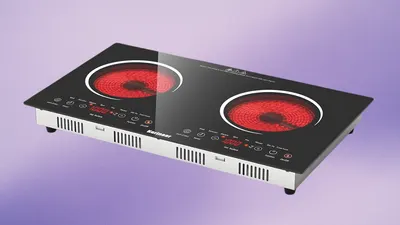
Karinear 2 Burner Electric Cooktop Review: Compact Power for Modern Kitchens

8 Gourmet Pantry Essentials Reviewed: Our Honest Picks for Quality Cooking
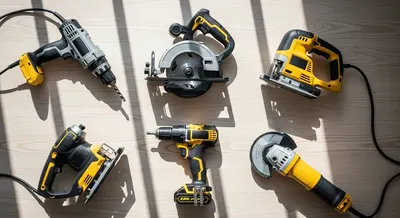
6 Power Tool Essentials Reviewed: Our Honest Picks for Every Project